Andonline agenda multifunction, integrated in the platform, easy to use and functional because it allows you to manage all your patient appointments in one click, with the function memorandum, with the possibility of customizing them, one by one. A smart online agenda, which puts you in immediate contact with the patient: you allows you to be online with one click in your online therapy session with the patient, on PsyCare.
Have the opportunity to Easily organize and manage your appointments in one click, all on the same platform, in full compliance with industry regulations and in complete safety, is a more than evident added value.
For the therapist, the new online agenda of PsyCare, complete with the function memorandum, It will be a further practical help to the optimal online therapy management.
It is currently accessible from the side menu and offers the possibility of viewing in three modes:
♦ daily
♦ weekly
♦ monthly
When you view the page of theonline agenda, depending on the type of view you have chosen, you can add the appointment simply by clicking on the day, and the time if displayed, in which you want to insert it.
In the detail popup you can enter the following information:
♦ the title for the session (mandatory if you do not enter a patient)
♦ the day and time of the appointment
♦ possibly, the repetition
♦ your notes at the session
♦ the color you want to assign to the appointment
♦ the patient (mandatory if you do not enter a title)
♦ select the “in studio” detail
♦ select “receive a” lotion memorandum”
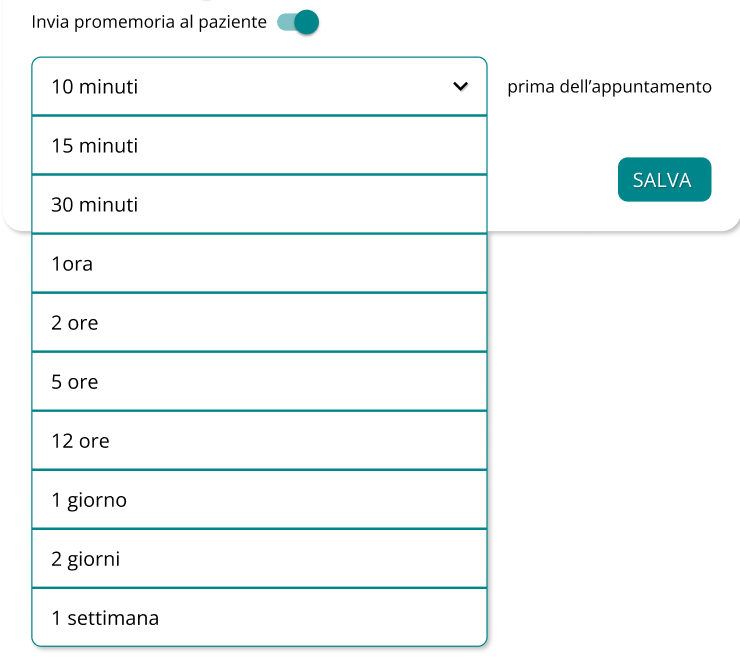
♦ select the “send reminder to patient” option
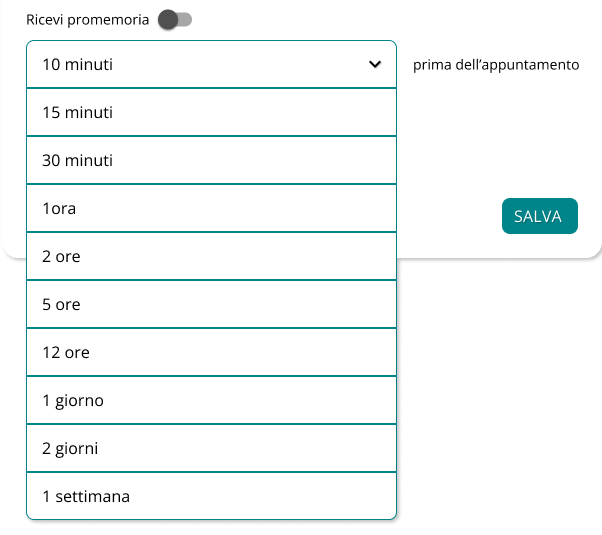
Lonline agenda Psycare, depending on the plan you have subscribed to, also offers you the function of appointment reminder: You and your patient will receive a notification via SMS, or even via email, at the times you have set.
For your reminder, you can select from the available options the times when you want to receive the reminder.
You will receive the appointment reminders, depending on your choice, in the ways provided, namely:
Even for the reminder for your patient, you can select from the available options the times when you want them to receive reminders.
The selected patient will receive the appointment reminders, depending on your choice, in the ways provided, namely:
When you select an appointment, you already have a complete view of all the details nhe popup smart that is displayed.
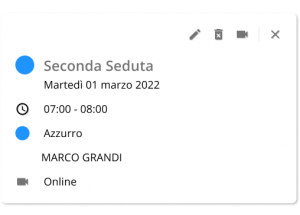
But the PsyCare’s new agenda is really smart: the therapist has the possibility to start the session with just one click, directly from the calendar!
The therapist has, orobviously, all other functions just a click away:
⇒ change the appointment
⇒ delete the appointment
⇒ close the popup and return to your calendar
This way, you will have everything under control and in a single reference, without the need to open and close multiple tabs or access an external calendar.
Lonline agenda integrated into the software offers the possibility of personalising each appointment, with details and colours.
And the reminder function, when needed, is a great help, both for you and your patients.
Lonline agenda of PsyCare is smart and updates, for meeting the needs of psychology: online and in the office.

The patient sees himself in the video consultation: when it is necessary
The digital signature in PsyCare? Just a click away!
Sharing a document online: it’s easy on PsyCare
PsyCare’s online calendar reminds you of appointments with a reminder!
Personalizing your online session invitation: why it’s important
Patient ID: Is it mandatory?
Online group therapy? You can do it on PsyCare!
Drawing, shapes, and images in psychotherapy: online with the virtual whiteboardWhatsApp: +39 375 703 9065
General Inquiries: info@psycare.it
Support: help@psycare.it

PsyCare for the Environment
We offset CO₂ emissions by planting a tree for every activated subscription: learn more.