Press

Payment Methods

As a patient, log in to the platform with your registration credentials.

Payment Methods

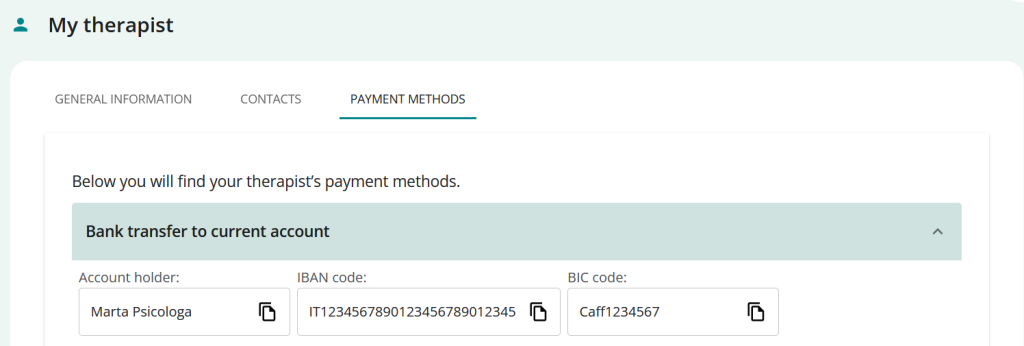
The therapist’s profile page displays a dedicated section containing the payment methods the therapist has selected.

Access from the Home page

  1. Log in to the platform with your registration credentials and on the HOME page you will see the section dedicated to the therapist:
       
  2. Click on See Profileand go directly to his profile section
    • Here you can see the sections
      • GENERAL INFORMATION
      • CONTACTS
      • PAYMENT METHODS.
    • Click on PAYMENT METHODS > View the payment methods entered by your therapist.
      (as, for example, in the image)

Access from the menu

  1. Access the platform with your registration credentials 
  2. From the side menu, click on MY THERAPIST to access his/her profile section.
    • Here you can see the sections
      • General Data
      • Contacts
      • Payment Methods
    • Click on PAYMENT METHODS view the payment methods entered by your therapist
      (as, for example, in the image)
Summary