- Email:info@psycare.it
- WhatsApp: +39 375 703 9065
20 Feb
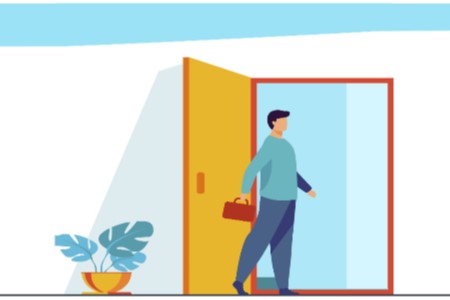
PsyCare’s virtual waiting room has been updated, reorganizing itself around the needs of therapists, to allow for an ever-improving meeting..
The setting for online therapy is a natural evolution of the traditional therapeutic setting, and the “connection” can be identified as the new door of the study.
In PsyCare this aspect is of primary importance, because we want to replicate in online therapy what is the therapist/patient meeting that takes place in person in the office.
The patient asks to come in? Psychare notifies you!
From today, when you are in PsyCare, even while you are managing documentation or organizational activities, for your patients or in their respective virtual medical records, if one of your patients is in the waiting room and has asked to enter, you will receive a popup notification and together one sound notification:

The popup notification is also a reminder:
→ informs you when a patient has entered the waiting room and asked you to “enter” the virtual room for your meeting
→ it will be visible in any section you are in and will remain visible until you close it:

A patient is waiting: you can see it right away on the Home Page!
The homepage is also constantly updated to be more functional and closer to your needs!
When you are on your homepage, immediately after logging in, you already have information relating to the status of your waiting room.
On your homepage you can immediately see:
- if the waiting room is empty

- if there is a patient he is waiting

To start the online session with the patient who is in the waiting room, simply click on “ENTER” to access the waiting room: here you can always check the connection and you will always have the session link available.
When you enter your virtual waiting room, you will always be able to, depending on your needs:
→ click on  to completely close the waiting room and the session;
→ click on  to access your virtual room;
→ select the microphone you want to use by clicking on the respective one and choose from the alternatives available on your device;
→ select the camera you want to use by clicking on the respective oneand choose from the alternatives available on your device;
→ copy the patient’s contact link and share it if necessary;
→ click on  and check the quality of your connection.
Welcome the patient into the room online as if you were in the office
In your virtual room, at the agreed time, and in any case only when you are ready:

→ fyou clicked on  to access the side menu and change some settings;
→ fyou clicked on  per “Welcome” the patient into the room and you will immediately be in contact online!
In PsyCare, the patient accesses the platform with his credentials and on his homepage he immediately has the possibility to start an online session, or to start it at the agreed time:
- The patient will simply have to click on
 to access your virtual waiting room:
In the virtual waiting room, the patient can:
→ click on  to inform your therapist that you are in the waiting room and wait that he welcomes him into the virtual room and then begins the online session;
→ select the microphone you want to use by clicking on the respective oneand choose from the alternatives available on your device;
→ select the camera you want to use by clicking on the respective oneand choose from the alternatives available on your device;
→ click on and check the quality of your connection.

PsyCare for the Environment