- Email:info@psycare.it
- WhatsApp: +39 375 703 9065
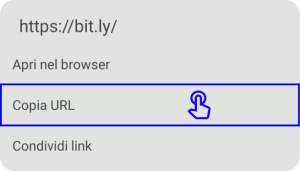
2. Open Google Chrome and hold down on the bar, then press on Paste and on the Enter key on the keyboard, to enter the waiting room.

It is advisable to use Google Chrome come browser: Download it from here.
1. Press and hold on the link you received via email or SMS from your therapist, then press Copia link.
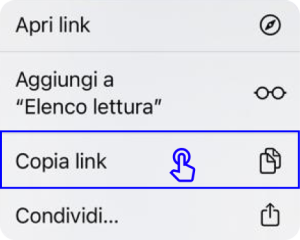
2. Open Google Chrome and hold down on the bar, then press on Visit the copied link to enter the waiting room.


PsyCare for the Environment